
If you want to build a Forex tool for free, modern AI app builders allow you to create calculators, journals, dashboards, and market analysis tools without coding or subscription fees. This guide explains the best free platforms and the exact steps to build your own Forex software.
How to Build a Forex Tool for Free
To build a Forex tool for free:
- Choose a free AI app builder such as Dyad or Bolt.
- Get a free API key from Google AI Studio or Groq.
- Describe your Forex tool in plain English.
- Generate and test the application.
- Save it locally and use it without subscriptions.
Table of Contents
In the fast-paced foreign exchange market, having the right utility at the right moment can determine whether you secure a profit or suffer an unexpected drawdown. Yet, retail traders often find themselves trapped between two undesirable choices. They must either settle for rigid, generic platforms that do not fit their specific strategy, or pay expensive monthly subscriptions for premium software.
The rise of generative user interface (UI) platforms like Vercel and Bolt initially promised a third path, allowing non-programmers to build custom software simply by describing what they want. However, users quickly hit strict free-tier credit limits, leading to subscription paywalls that cost twenty dollars or more per month.
Fortunately, the open-source movement has provided excellent solutions. Today, you can access powerful, free AI application builders that let you plug in your own free developer keys. This allows you to build completely customized, professional Forex utilities without writing a single line of code or spending a dime.
Why Retail Traders are Transitioning to AI App Builders
The shift toward custom, AI-built applications represents a major change in how independent market participants manage their daily operations.
Limitations of Off-the-Shelf Trading Journals and Calculators
Standard trading tools available on public websites are rarely optimized for serious risk management. Online calculators are often slow, cluttered with distracting financial advertisements, and unable to account for complex, custom variables like real-time spread adjustments, commissions, or specific broker pip values.
Similarly, basic spreadsheets used for trade logging are rigid, difficult to access on mobile devices, and require tedious manual entry. This lack of flexibility prevents traders who want to build custom trading dashboard no code solutions from executing their plans with the precision required in modern currency markets.
The Subscription Trap: Why Premium AI Coding Tools Can Get Expensive
When traders discover commercial generative code tools like v0 or Bolt, they are initially amazed by how easy it is to generate web layouts. However, these commercial platforms run on premium, proprietary cloud infrastructure. To cover their computational costs, they restrict free usage to a few basic prompts per day.
For a trader who needs to test, refine, and troubleshoot a complex dashboard, these limits are usually exhausted within an hour. This forces users into expensive recurring subscriptions that drain capital directly from their trading accounts, which is why finding a free v0 alternative for trading apps has become a top priority in 2026.
Enter Generative UI: How Design-by-Chat Empowers Non-Technical Traders
Generative UI represents a complete shift in how humans interact with computers. Instead of drag-and-drop builders or manual coding, you simply tell the AI what you want using everyday language.
For example, asking the AI to add a risk toggle that switches between conservative and aggressive parameters instantly updates the underlying structure and design. This chat-first approach allows any trader to act as a software architect, designing highly functional tools based entirely on their own rules and trading styles.
The Best Free V0 & Bolt Alternatives in 2026 (Ranked for Beginners)
To help you choose the right platform, we have compiled and ranked the best free, low-barrier, and open-source alternatives available to non-programmers.
| Platform | Free Forever | Local Hosting | API Key Support | Best For |
|---|---|---|---|---|
| Dyad | Yes | Yes | Yes | Beginners |
| Bolt | Yes | Yes | Yes | Advanced apps |
| Lovable | Limited | No | Yes | Fast prototypes |
| OpenUI | Yes | Hybrid | Yes | Dashboards |
Comparative Feature Analysis
| Feature | Free Tier | Local Hosting | AI Model Support | Ease of Use |
|---|---|---|---|---|
| Dyad | ✓ | ✓ | ✓ | 9/10 |
| Bolt | ✓ | ✓ | ✓ | 7/10 |
| Lovable | ✓ | Partial | ✓ | 9/10 |
| OpenUI | ✓ | Partial | ✓ | 8/10 |
1. Dyad: The Simplest Local App Builder for Absolute Beginners
If you want to use a free, local-first app builder without touching terminal lines, Dyad is a brilliant entry point. Designed as a free alternative to cloud-based tools, this app builder runs directly on your computer (for Mac or Windows) and acts like a digital sketchpad. You type your requirements in plain English, connect your own API keys, and Dyad instantly translates those ideas into a clean, functioning web page. By keeping your project files local and avoiding subscription limits, Dyad makes visual prototyping incredibly straightforward and completely private.
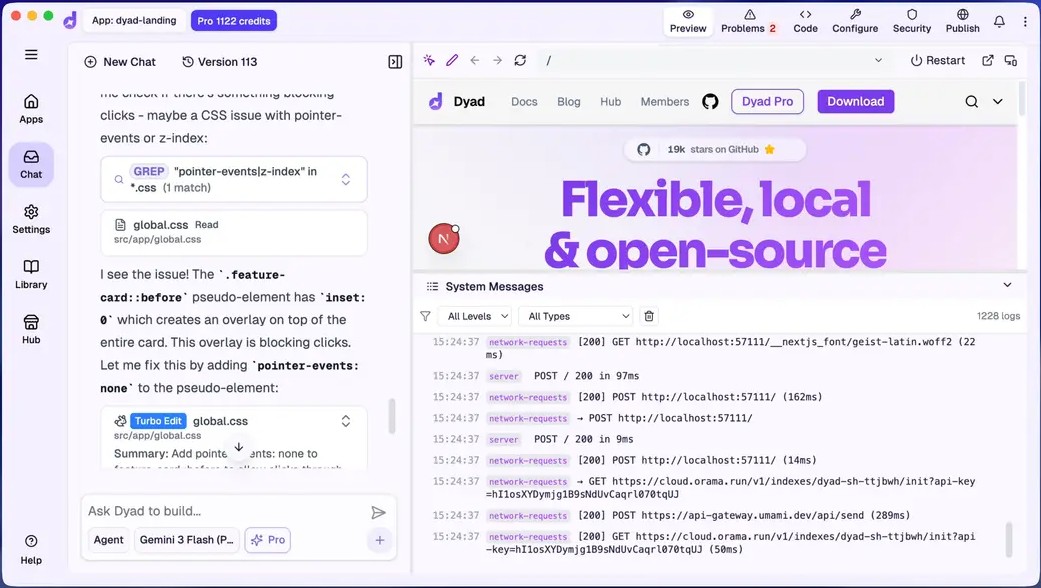
Screenshot from Dyad
2. Bolt: The Ultimate Full-Stack Platform to Host Your Own Trading Apps
Bolt is a powerful, open-source alternative to premium cloud platforms. It gives you complete control over your development process. Instead of paying a third-party company, you run the builder on your own machine. This allows you to connect your own free AI engine keys from major providers like Google or Groq. Following a bolt forex app tutorial approach unlocks unlimited, high-speed code generation without any monthly subscription fees.
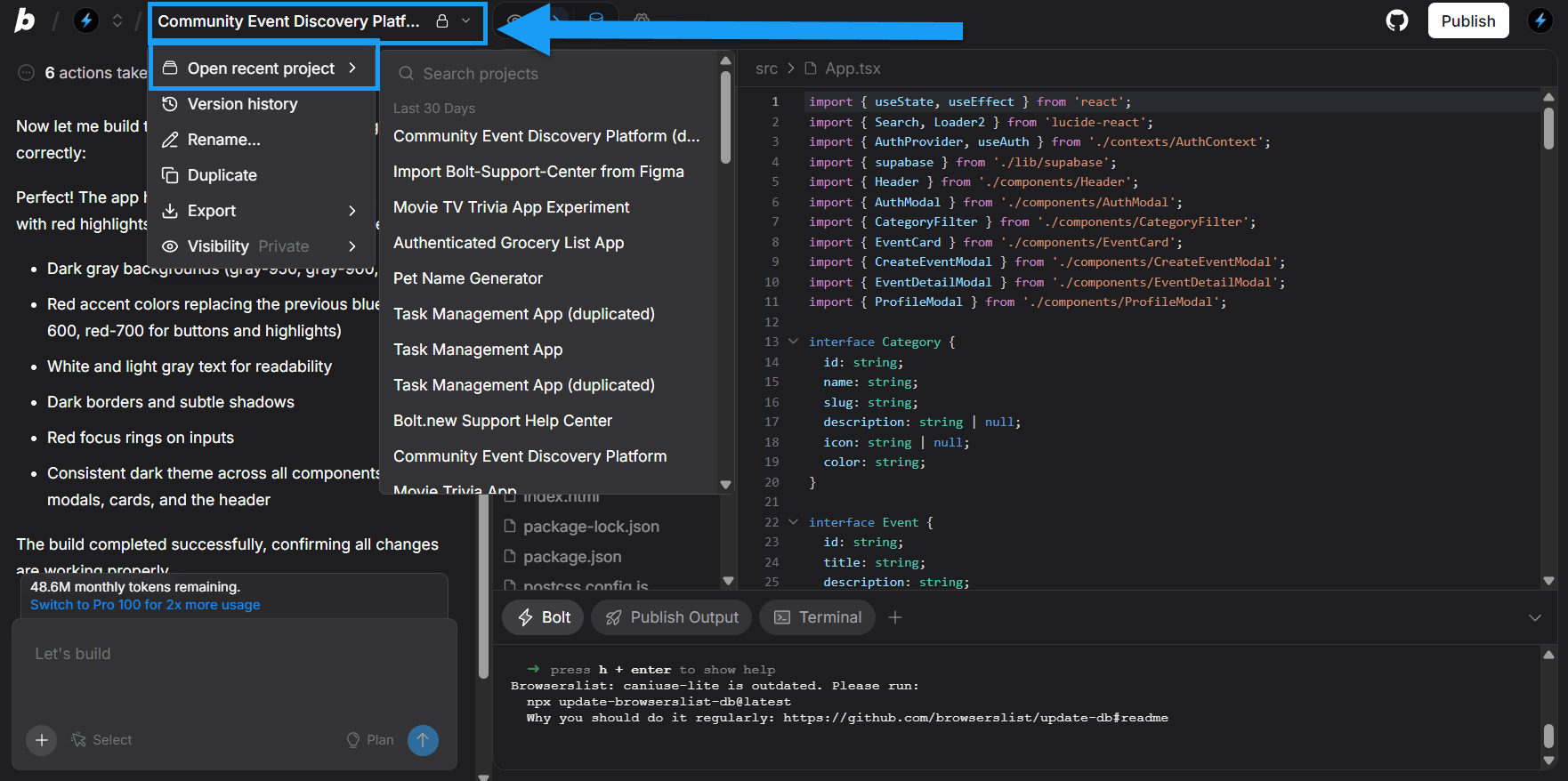
Manage your projects – Bolt.new
3. Lovable: High-Speed Web Prototyping (With a Generous Free Tier)
For traders who prefer a cloud-based workflow without local installations, Lovable offers an excellent free tier. It stands out for its high-fidelity visual outputs, making it easy to create beautifully styled, modern web layouts. It is the perfect choice for quickly assembling and testing a visual dashboard before saving it permanently.
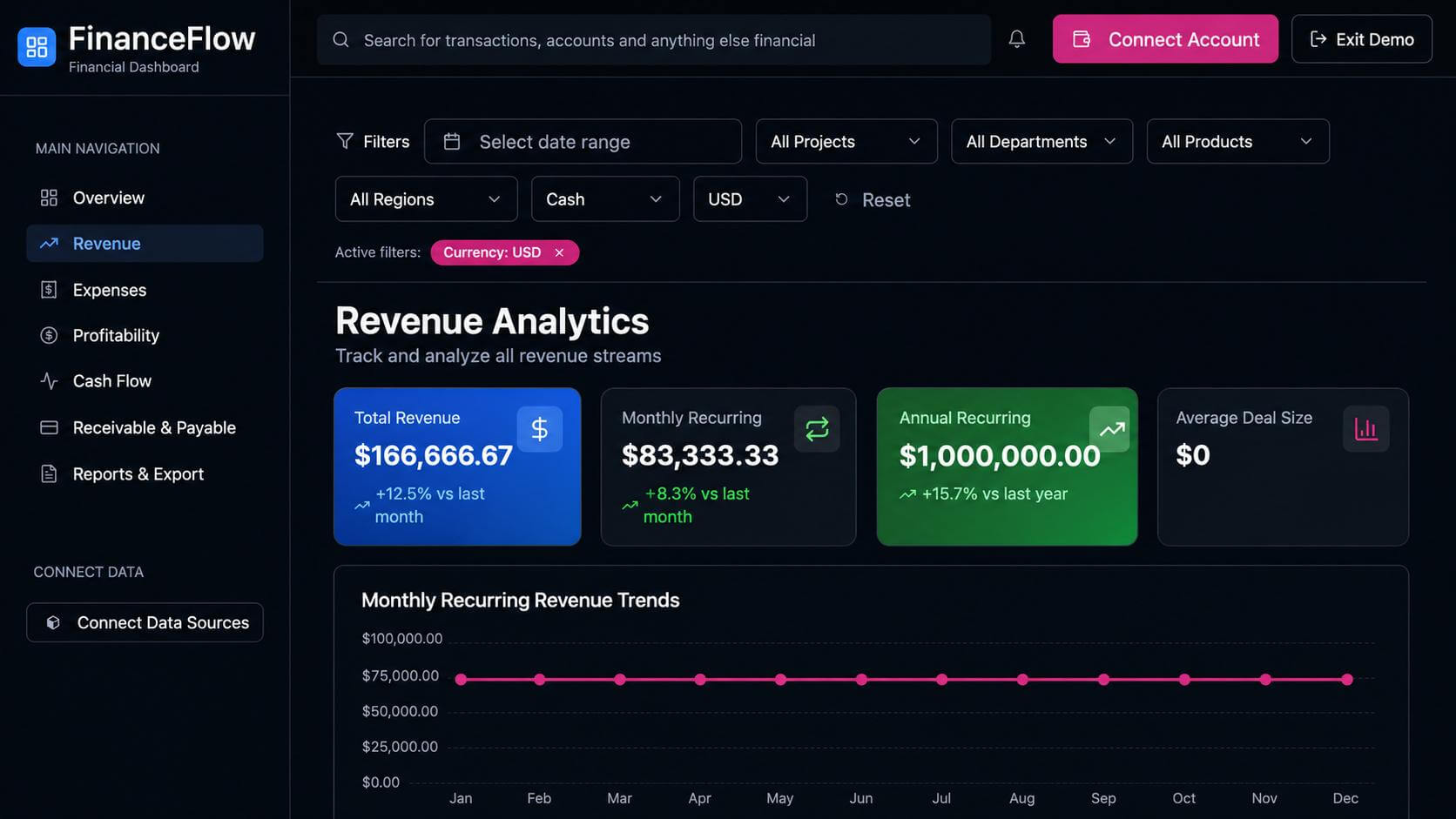
Lovable Dashboard screenshot: Financial analytics dashboard template
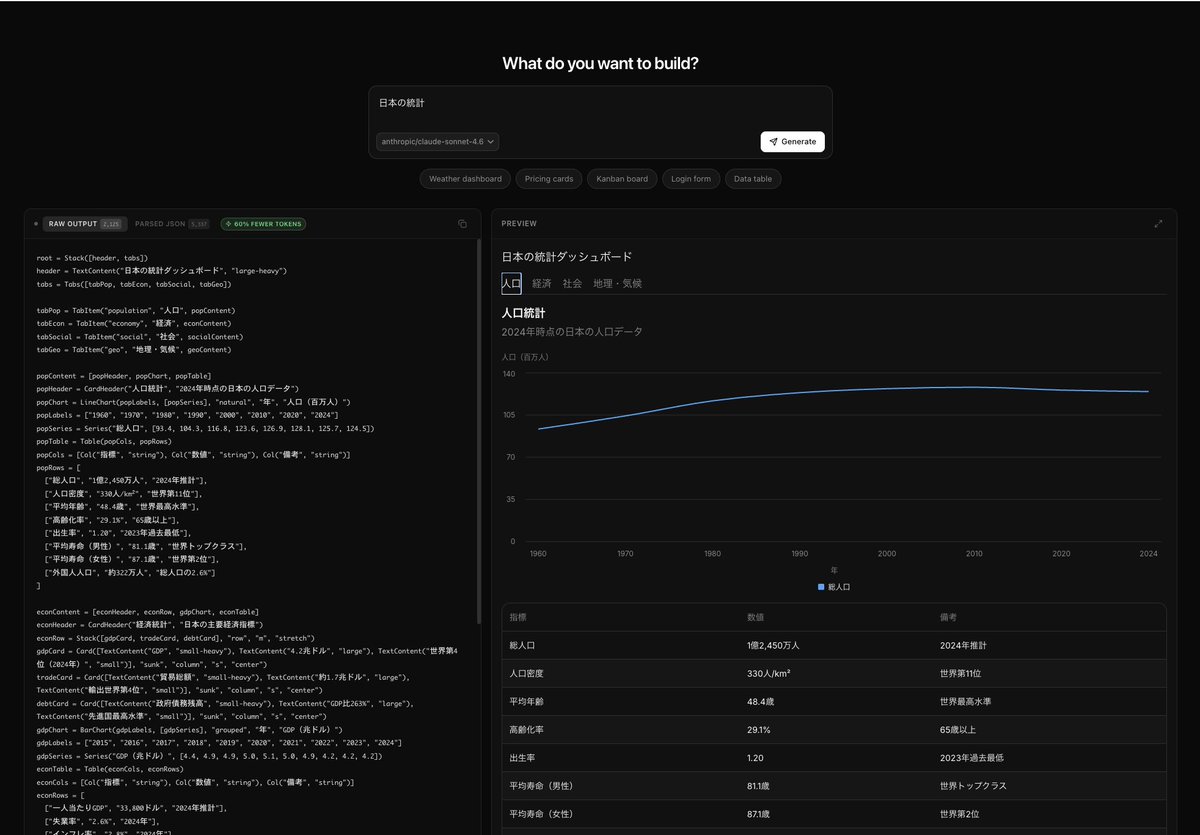
4. OpenUI: Best for Fast, Clean Chart Layouts and Custom Interfaces
OpenUI is specifically designed to make user interface creation simple and modular. Developed by the respected AI research platform Weights & Biases, it excels at breaking down a web application into separate, manageable visual blocks. If you want to design a custom trading dashboard with a highly organized sidebar, distinct data tables, and dedicated visual panels for different currency pairs, OpenUI serves as a fast and reliable builder.
OpenUI screenshot
Technical Considerations: Limitations, Security, Hosting, and API Costs
Before deploying or relying on custom-built trading tools, it is essential to evaluate the core technical factors that govern their performance, safety, and operation. Understanding these limitations, security measures, hosting methods, and API cost structures ensures your applications run smoothly and securely.
Tool Limitations: Generative UI tools excel at client-side calculations like position sizing and risk management. However, running complex high-frequency algorithms, real-time tick processing, or heavy backtesting still requires dedicated programming environments.
Security Considerations: Running tools locally ensures your trade logs and strategies stay private on your computer. Always protect your API keys by storing them in local app settings rather than pasting them into shared project files.
Hosting Options: You can run your app entirely offline by opening the generated HTML file directly in your browser. For mobile access or remote sharing, static hosting services like Vercel or GitHub Pages offer reliable, free deployment options.
API Costs: Providers like Google AI Studio (Gemini) and Groq offer generous free daily usage limits, allowing you to build, test, and run your trading utilities without incurring monthly API costs.
Practical Blueprints: 3 Forex Apps You Can Build This Weekend for Free
These three practical blueprints show how easily you can use these platforms to build helpful trading utilities.
Blueprint 1: The Multi-Pair Risk & Position Size Calculator
This application solves the critical task of position sizing and teaches you how to build a forex calculator with ai. Instead of relying on generic online calculators, you can build a customized dashboard that calculates your exact transaction size based on your current account balance, your risk percentage, and your stop-loss distance in pips.
The interface features an interactive input form and dynamic calculation panels. When you select a specific currency pair (like USD/JPY or EUR/USD), the app automatically applies the correct decimal place system to ensure your risk calculations remain mathematically accurate.
Blueprint 2: The Live Macroeconomic News Sentiment Dashboard
High-impact news releases regularly trigger massive volatility in the forex market. To manage this risk, you can build a clean visual organizer. To understand how these global events shift currency valuations, traders often monitor resources like Investopedia’s Introduction to Fundamental Analysis.
The layout divides upcoming news events into high, medium, and low-priority categories. It features interactive status buttons, allowing you to manually mark events as completed and log whether the resulting data is positive or negative for the currency. This visual map helps you avoid entering high-risk trades right before major global data releases.
Blueprint 3: The Private Interactive Forex Trading Journal with Analytics
A dedicated trading journal is essential for long-term consistency. You can build an interactive log to track your entry price, stop-loss, target levels, and market comments.
Instead of looking at raw text, the app consolidates your logs into visual analytics, displaying key metrics like your win rate, profit factor, and average trade duration. Because the app runs locally on your machine, your valuable trade data remains completely private and secure.
Step-by-Step Guide: Building Your First Forex App with Zero Code
Follow this straightforward process to set up your free development environment and build your first custom utility.
Step 1: Claiming Your 100% Free AI Engine Key (Google AI Studio & Groq)
The intelligence behind these no-code builders comes from external AI models. Providers like Google AI Studio and Groq Developer Console offer free access keys for developers under generous daily usage limits.
Simply log into their developer portals with your standard accounts, click the button to generate a new API key, and copy the string of characters. This key acts as the virtual power source that drives your AI app builder.
Step 2: Setting Up Your Free Builder (The No-Terminal, One-Click Method)
To keep things simple, avoid using terminal commands or complex installations. Instead, download the desktop application or open the web interface of your chosen builder (such as Bolt).
Navigate to the settings menu, select your preferred AI provider (like Google Gemini or Groq), and paste your free API key into the designated field. Once saved, your builder is connected to its AI engine and ready to receive your design instructions.
Step 3: Prompting Like a Pro: How to Teach the AI “Trader Speak”
To get excellent results, you need to write detailed, structured prompts using accurate trading terminology. Think of your prompt as a detailed recipe. Here is a highly effective, ready-to-use template:
“Build a single-page web application featuring a modern, dark-themed Forex Risk Calculator. Include inputs for Account Balance, Risk Percentage (0.5% to 2%), Entry Price, Stop-Loss Price, and a Currency Pair selector. If the selected pair contains the Japanese Yen (JPY), ensure the calculation logic automatically adjusts for three-decimal pip pricing. For all other G10 pairs, use standard five-decimal pricing. Display the final suggested position size in lots inside a prominent, green-accented results box.”
Step 4: Previewing, Testing, and Saving Your App Locally
As you chat with the builder, your application will render in real time in an adjacent browser preview window. You can interact with the form, enter mock parameters, and check the math.
If a calculation seems incorrect, simply tell the AI: “The lot size calculation for USD/JPY is incorrect when the stop-loss is under ten pips, please correct the mathematical conversion.” The AI will adjust the logic and rebuild the application. Once you are satisfied with the tool, save the project files directly to your computer to run your new application locally whenever you need it.
Essential Rules for Non-Tech Traders Running AI Apps
Running custom-built tools requires a disciplined, professional approach to prevent technical issues from affecting your capital.
What to Do When the AI Throws an Error (Easy Troubleshooting)
If your app stops working or shows a technical error message, do not try to read or rewrite the code yourself. Treat the error as a simple puzzle.
Take a screenshot of the error, or copy the exact text of the warning message, paste it back into your builder’s chat box, and say: “The application stopped working after the last update and displayed this error message. Please locate the issue and correct the code while keeping our current features intact.” The builder will identify the conflict and fix it automatically.
Data Security: Keeping Your Trading Logs and Keys Private
Because you are running these tools on your local computer, your personal data and trading records remain private. However, you must safeguard your developer keys.
Never share your API keys, upload files containing your credentials to public websites, or send your configuration settings to unverified platforms. Keeping these keys secure ensures your development environment remains private.
Why You Should Always Test Your Custom Apps on a Demo Account First
Even if your new position calculator seems to work flawlessly in the preview window, you must test it thoroughly before using it to manage real money.
Run the calculator side-by-side with your standard trading platform on a risk-free demo account. Compare the lot sizes generated by your custom tool against manual calculations over dozens of test trades. This testing phase ensures that no hidden calculation errors put your real trading capital at risk.
Conclusion: Taking Full Control of Your Forex Trading Tech Stack
The era of paying expensive monthly software subscriptions for simple, rigid utilities is over. By utilizing free, open-source alternatives like Bolt and Dyad, and pairing them with free AI developer keys, you can build custom, high-performance tools tailored specifically to your trading plan.
Taking control of your software stack not only saves you money, but also helps you develop a deeper, more disciplined understanding of risk management and currency dynamics. Build your utilities, test them thoroughly in demo environments, and use technology to support your long-term success in the foreign exchange market.
FAQ: Build Your Own Forex Tools for Free
Q1: Why should I build a custom forex calculator with AI instead of using free websites?
Answer: Public trading websites are often slow, cluttered with ads, and rigid. Building your own tool allows you to customize the calculations for your specific broker rules, include personalized risk ratios, and create a clean, ad-free interface that runs offline and keeps your data private.
Q2: Are the developer keys from Google AI Studio and Groq truly free to use?
Answer: Yes. Both Google and Groq provide generous free developer tiers designed to let users build and test applications. The free limits are more than enough to run your personal trading apps without ever needing to upgrade to a paid plan.
Q3: Will I need to learn how to write HTML, CSS, or JavaScript to use Bolt?
Answer: Not at all. Bolt is designed to be a free no-code trading tools builder. You interact with the platform entirely through an intuitive chat interface, describing what you want in plain English while the AI handles the development behind the scenes.
Q4: How do I open and use my custom forex app after I save it to my computer?
Answer: The builder saves your application as a folder of web files. To run your tool, simply open the main web page file (usually named index.html) in any standard web browser on your computer. It will load instantly, functioning entirely locally and offline.
Q5: Can I connect these custom-built web apps to my MetaTrader or TradingView accounts?
Answer: While simple calculators and journals run locally on web files, advanced integrations require connecting to external data feeds. You can prompt your AI builder to include free, public price feed integrations to display real-time currency rates directly inside your custom application.
Disclaimer: The content of this article is intended for informational purposes only and should not be considered professional advice.